
Baby steps in CD-i homebrew development
Something I've been meaning to do but have been putting off for years is attempting to write a small homebrew program for CD-i. But I finally got around to it.
The relative lack of easily digestible documentation has mostly been holding me back, since I knew it would take a lot of time to figure the workflow out and get even very simple things running.
In addition to that, I've written very little C code. I've read plenty of C and C++ to figure out the basic inner workings of some programs. Languages like Java and C#, both of which I have used, have syntax that's fairly similar to C. But writing pure C, or in this case, 1980s C, was something I had to learn as part of this project.
My first goal was to set up a basic development environment and toolchain to write code that prints simple text on the screen, which I've now achieved. In this post, I'll go over the process and where I landed.
Code quality isn't a priority here, at least not yet. This Hello World program was mostly a way of testing the waters: seeing whether I could get a basic toolchain set up and some basic code working at all. It's a fun side project first and foremost, and I'm not trying to be as clean or efficient as possible, so the code is probably pretty poor here and there. I don't know enough C or enough about the CD-i workflow yet to really optimize things with any expertise. That might come later.
The code for the project I'll be talking about can be found on my Gitea:
 anachroneo

✨️ Note on AI use
The topic of GenAI is unavoidable these days, including in the retro gaming and homebrew scene.
I wanted this project to be a learning experience. I care more about the process and understanding how things work than I do about the end result. Thus, I kept AI use to a minimum.
Claude was used here and there as a search engine alternative to get answers to specific questions, or I asked it to nudge me in the right direction if I got stuck, without it giving me the answer outright.
The vast majority of the code was written by hand or adapted by hand from a referenced source. However, I did use AI to get some help with housekeeping, such as setting up .gitignore and some of the helper scripts in the repo.
I've recently written an extensive post covering where I stand on AI.
Gathering information
The starting point for me was the document CD-i Development in the 21st Century by CD-i Fan, which can be found on The World of CD-i. CD-i Fan is a CD-i industry veteran and the developer of the CD-i Emulator, so it's hard to think of a more trustworthy source.
 omegalfa

The guide is a great outline of the most important aspects of the system: the specifications, the existing documentation, the original tooling, and how CD-i development used to be done. It also points to a lot of other good resources. What it doesn't really give you is actual code. For that, I turned to the open-source version of Nobelia by TwBurn. In my opinion, it's the most impressive CD-i homebrew effort to date, making it my preferred choice as a reference. A lot of what the guide describes can be seen in actual use in the Nobelia codebase.
I also downloaded the source code for Charles Doty's Frog Feast and gameblabla's Super Quartet, but I didn't reference them much after a quick initial skim. Nobelia had everything I needed. That may change as I take on more complex things.
Another important resource is the Green Book, the official specification of the CD-i format by Philips and Sony. It wasn't all that useful for getting things set up or working. What I mostly used it for, several times over, was looking up function calls I came across in Nobelia's source code and some of the other CD-i codebases. For many of those, the Green Book gives a fairly decent overview of what the function does and which parameters it takes.
With these resources, I had all the information I needed, but it still took a lot of rereading and trial and error before things clicked. Sometimes, when I felt truly stuck or confused, I'd ask Claude to ELI5 some things based on the documentation and tell me where to look for specific answers. Then I'd go back to the documentation and/or code and verify it myself.
I haven't asked anyone in the CD-i scene for help yet. I'd rather not waste people's time on things that, to them, are very basic and that I can figure out on my own with some effort.
Setting up the toolchain
The toolchain took some work to understand and set up, but is fairly easy to use in the end. TwBurn's CD-i SDK helped a lot, as it contains every tool needed. I found it by reading the README of Nobelia, which links to it. Since Nobelia itself uses that SDK, it only made sense to use it too, as it made cross-referencing things easier.
As for an IDE, I used Visual Studio Code with Microsoft's official C/C++ extension. Given the relative simplicity of the toolchain, and how widely C is supported by all sorts of tools, I suspect basically anything will do just fine, even a simple text editor. Visual Studio Code just happens to be what I'm used to.
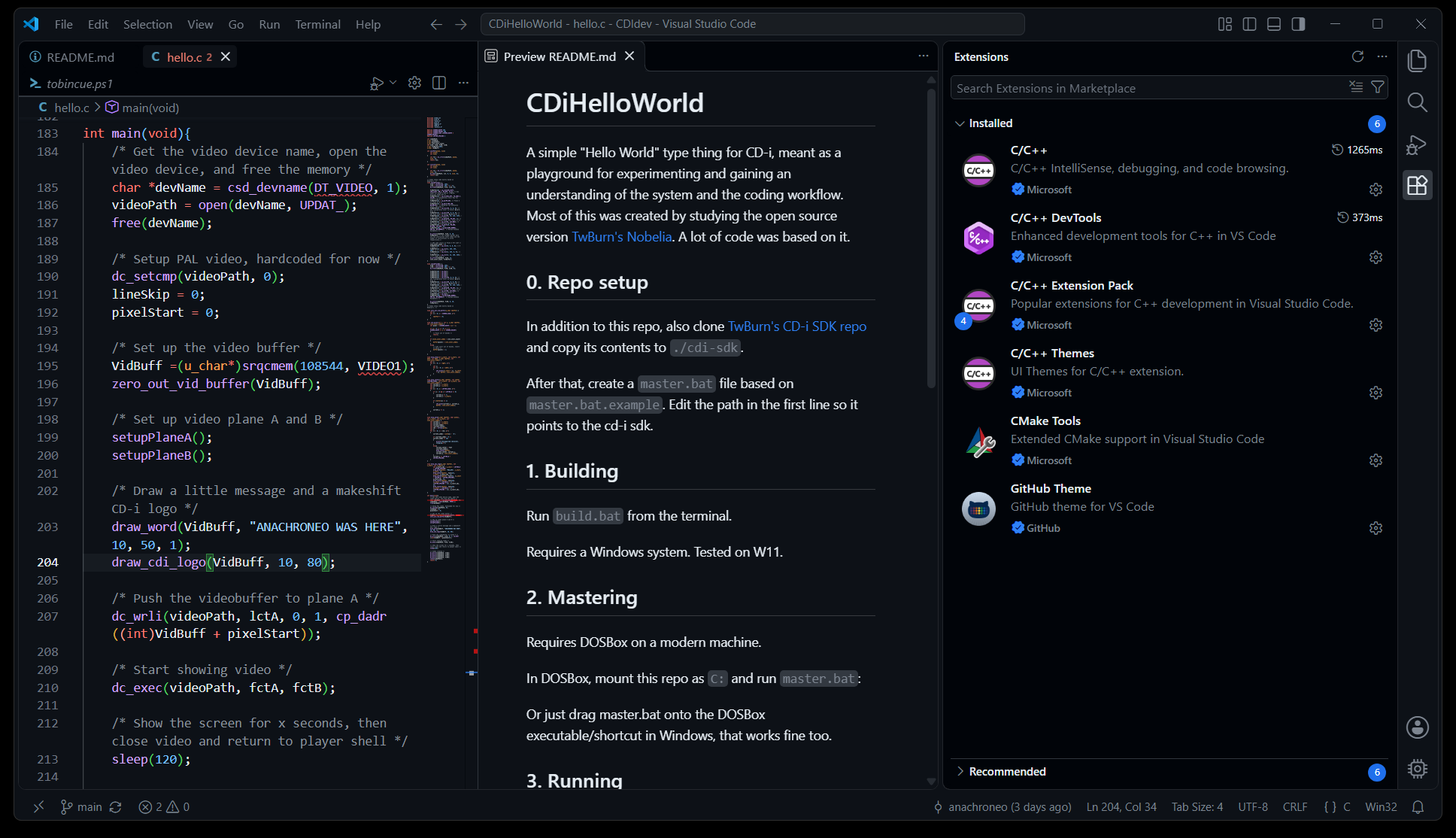
I started with a simple hello.c file containing a single printf line. The point of it wasn't that it would run on the CD-i, but to test whether I could get the SDK and the build process to work. I made a build.bat file that is essentially a simplified version of the makefile in the Nobelia codebase. That ended up working fine, and it runs directly under Windows.
Next, I tried to get vcdmastr.exe to work, which builds an actual CD-i disc image. The file can be found in the CD-i SDK. vcdmastr.exe is an MS-DOS application, which is why you need DOSBox, or an alternative way of running MS-DOS applications on a modern operating system. I made a very simple master.bat file that I can use with DOSBox to build a proper .cdi disc image file.
That .cdi file could then be used in an emulator for testing. Throughout this entire process, I used CD-i Emulator v0.5.3-beta10 by CD-i Fan, which has worked perfectly fine. I haven't tested other emulators yet, but given how simple this proof of concept is, I don't expect any issues there.
To test it on actual CD-i hardware, it needs to be burned to a disc. For that, I needed to convert the .cdi file from vcdmastr.exe to a .bin/.cue pair. I found a .sh script for Linux by Slamy that does exactly this: make_image.sh. Since I was already compiling and mastering on Windows, I wanted to make an equivalent PowerShell script, which ended up becoming tobincue.ps1. I burned the result with ImgBurn and tried it on my CD-i 605T, which worked fine.
Reading Slamy's make_image.sh also showed the need to cut off the first 150 sectors of the .cdi file when converting it to .BIN. I wanted to know why this was the case. After some digging with Claude and Google, my understanding is:
- A CD whose first track is a data track has to start with a 2-second pause of 150 sectors (source: ECMA-130, section 20.2). A CD runs at 75 sectors per second, so 2 seconds is 150 sectors (source: same, section 21).
- The
.cdifile already contains this pause. - Burning software adds this pregap automatically, and it isn't listed in the
.cuefile (source: ImgBurn forum). - If the pause is left in the
.bin, you end up with two pregaps: one copied from the.cdifile, and one added by the burning software, thus causing everything on the disc to shift by two seconds.
Displaying text
At first I thought: "Should be simple enough." But it turned out to be more involved than expected. Down to having to write code to manipulate individual pixels. I won't go over every single line of code, just the outline of the process and where I landed.
Setting up video
This mostly involved reading and learning from the Nobelia source code. I implemented Nobelia's functions for setting up plane A and plane B mostly verbatim, only changing a few properties here and there. The first thing I tried was getting these planes to display a solid colored background, and that eventually worked. I hard-coded everything to PAL video for the time being, because I didn't want to make this little test more difficult than it had to be.
Getting used to dealing with a videobuffer in modern C
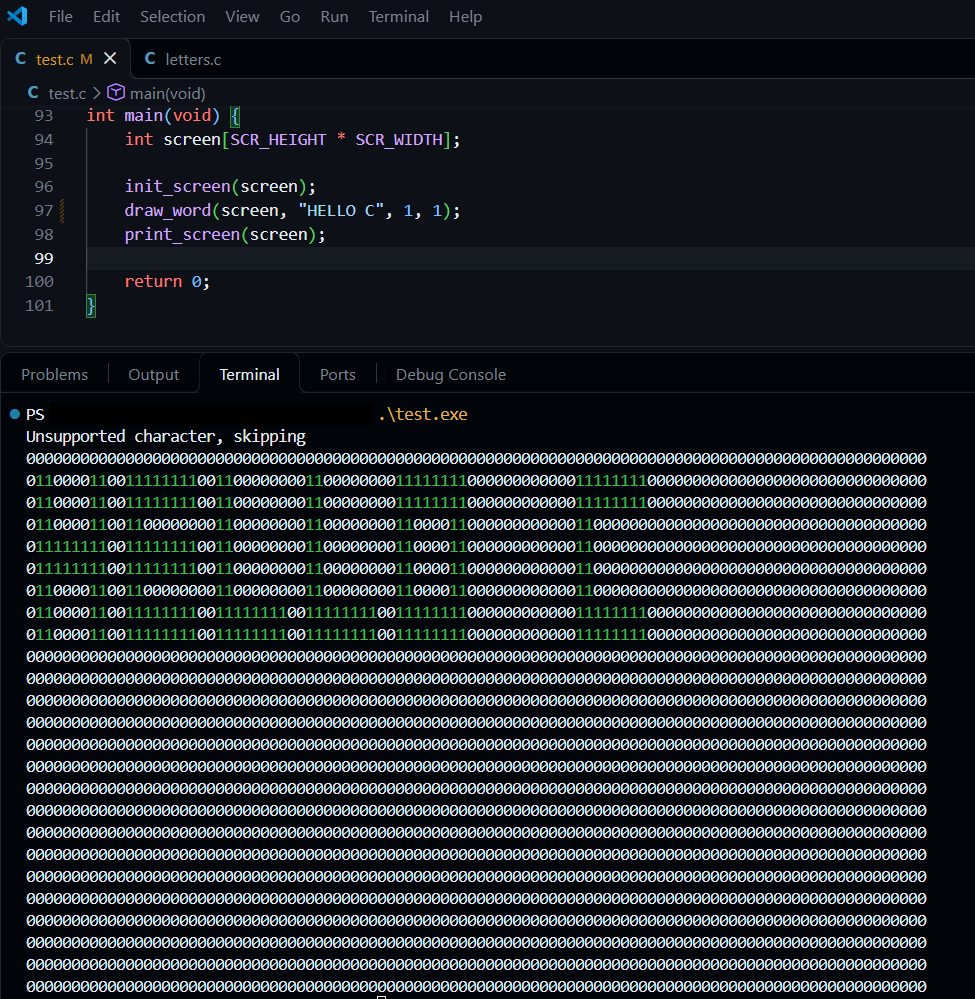
From there, I slowly started figuring out an approach for printing text on screen. Before doing that on the CD-i itself, I made a proof of concept in regular C on Windows. I wanted to get used to the logic of manipulating a video buffer without dealing with the whole CD-i toolchain and building an entire disc image every time just to test something. It also meant I could use modern C before translating everything to the CD-i.
This playground was a very simple program with a mock video buffer that gets printed to the terminal as 0s and 1s. That let me get used to manipulating individual pixels. I then built on that step by step: a function to set individual pixels, then one to draw areas, then one to draw letters, and finally one to draw words.
I knew early on that I'd need some custom way of drawing a font, and I went with a very simple approach: letters made out of 0s and 1s. Each character is 8 by 8 pixels, which was an arbitrary pick, the code can easily be adapted to other sizes if needed. I put all of these in a letters.c file, with a letters.h header to import them into the main C file. When drawing a word, a small function looks up each character in the font. If it isn't in there, like a space or a special character, it simply draws nothing and moves on to the next position.
Porting to CD-i
Once that worked in the playground, I started translating it to the CD-i. On the CD-i side, I needed a video buffer whose individual pixels I could manipulate, with the pixel colors coming from the color lookup table, or CLUT. I started with just black and white: 0 is black, 1 is white. I later changed the black to a dark gray. With that in place, I could fairly quickly manipulate individual pixels by setting values in the video buffer to 0 or 1.
The font carried over well, since the CD-i could use the exact same 0s and 1s; it was essentially a one-to-one copy from the playground. I then ported over the set pixel, draw area, draw letter and draw word functions. This is where the "1980s C" part came in. // comments don't work, so they all had to become /* */ blocks. You also can't declare the iterator inside a for loop itself; it has to be declared before the loop. There were more small things like that, but those two give a good idea. It took a bit of troubleshooting here and there, but eventually I got words to show up on screen.
Fixing garbled screens
I ran into two somewhat related issues along the way:
- Garbled data on startup. The memory for the video buffer has to be cleared before it gets shown, otherwise it displays whatever happened to be in there. I learned this the hard way. Again, the Nobelia source code pointed me in the right direction, and it was a quick fix.
- A few seconds of a garbled screen before the text appeared. This turned out to be because I made plane A visible before filling it with the video buffer. I moved the call that shows plane A for the first time to after the video buffer is fully initialized and the text is drawn on it, and that fixed it.
Adding a mockup CD-i logo
To make it a bit more interesting than a single line of text, I also made a mock-up of the Philips CD-i logo. I added some custom characters to the font: the little triangle, the special C, and the lowercase i from the logo. I also added two more colors to the CLUT, red and blue, so the logo wasn't just white.
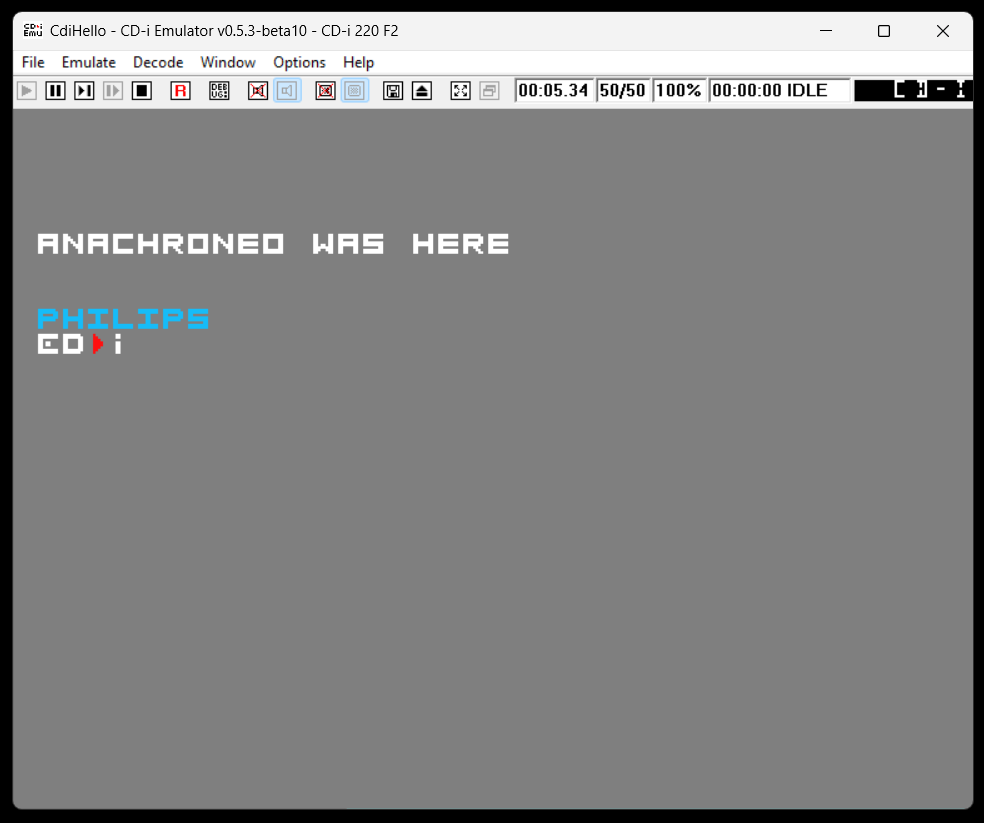
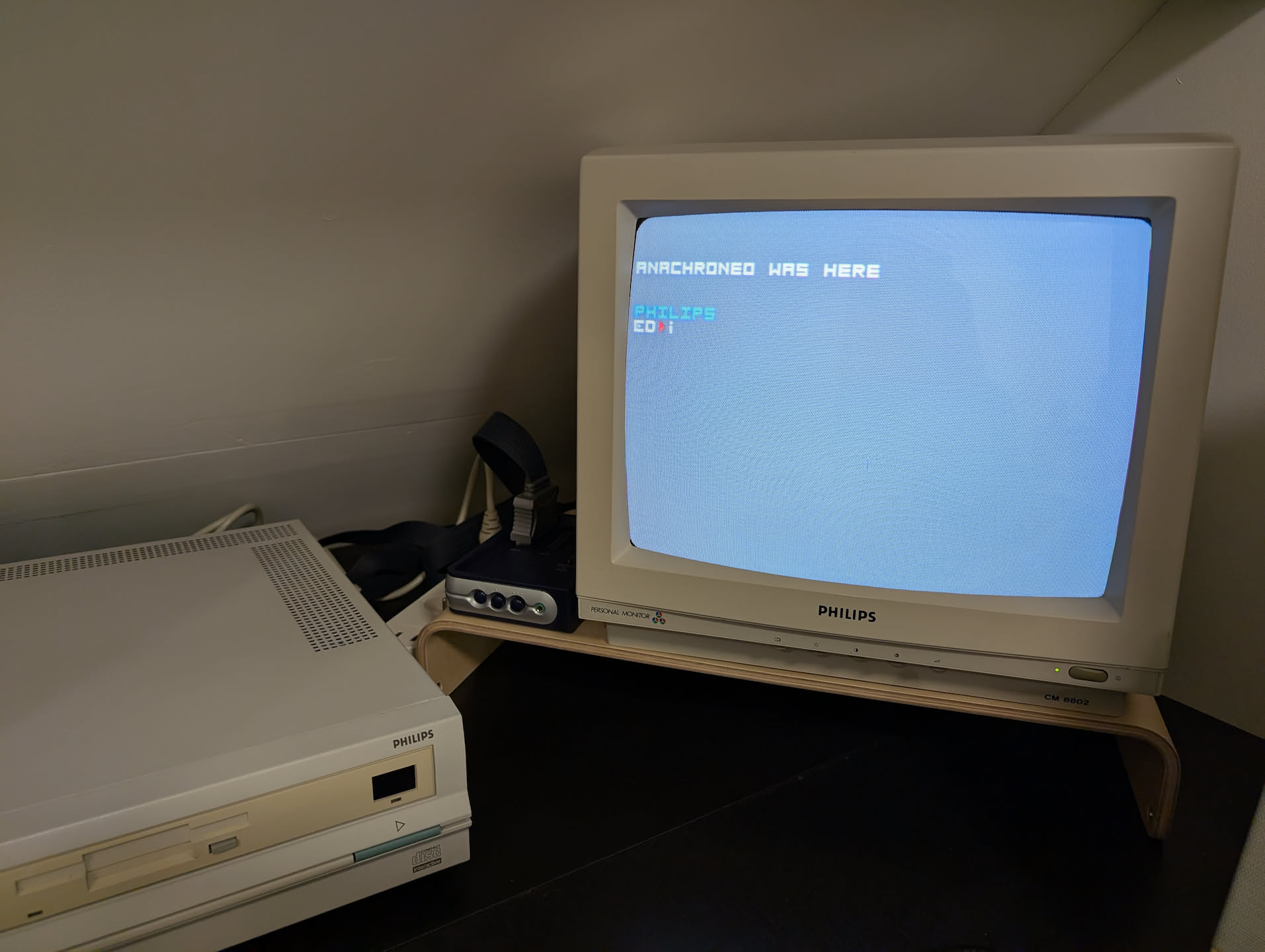
And that's where I decided to call it a day for the time being. I now have a basic Hello World PoC program and a working toolchain, so I'm ready to explore the capabilities of the CD-i further and see what I can do with code for it.
If you (for whatever reason) want to run it for yourself, here's the finished .bin/.cue pair:
Next steps
The end goal I came up with is to make a CD-i equivalent of the famous "bouncing logo" DVD screensaver. That adds a few new challenges off the top of my head: I'd have to learn how to display an actual image file for the logo, how to make it move, and how to calculate the screen borders so it bounces around properly. None of these are too difficult, I think, but they're fun challenges to overcome, both for learning C and for learning the CD-i equivalent code.
Something else I've been thinking about, though I'm not entirely sure how much of it is possible: a few of my CD-i players, like the 605T and the 180 set, have a floppy disk drive. From that, you can run an OS-9 terminal and OS-9 programs. It might be interesting to see if I can make a custom program for that as well, and maybe even get the DVD screensaver running from a floppy disk, since I expect it will be small enough to fit. I don't know yet whether you can really do graphics from the OS-9 terminal, or whether it's limited to text-based programs.
That'll be something to figure out for the eventual follow-up to this post.